
· 5 min read
Support inside your app: Yuva's iOS and Android screens, redesigned
The Swift and Kotlin libraries now look like a messaging app on each platform: SwiftUI in the style of Messages on iOS, Material 3 Expressive on Android. Feedback shows where it stands, and a host app can show messages and feedback in two places.
productdevbook
Most people who write to a product’s team do it from the product. On a phone that means the app, so Yuva ships native libraries for both platforms: YuvaKit for iOS in SwiftUI and the Kotlin library for Android in Jetpack Compose. Each has a headless client you can drive from your own UI and ready screens on top of it.
Most apps use the ready screens. Until now they looked like a settings page: plain lists, square rows and hairlines between them. In 0.0.24 we redesigned them to feel like the platform’s own messaging app. Both platforms share the layout and behaviour but follow their own design language.
Conversations
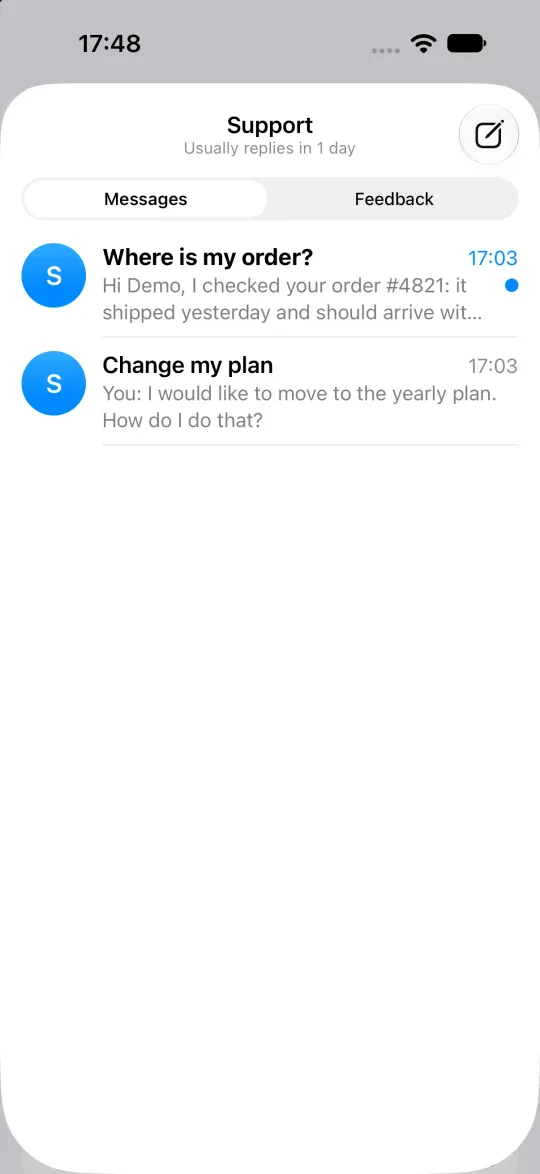
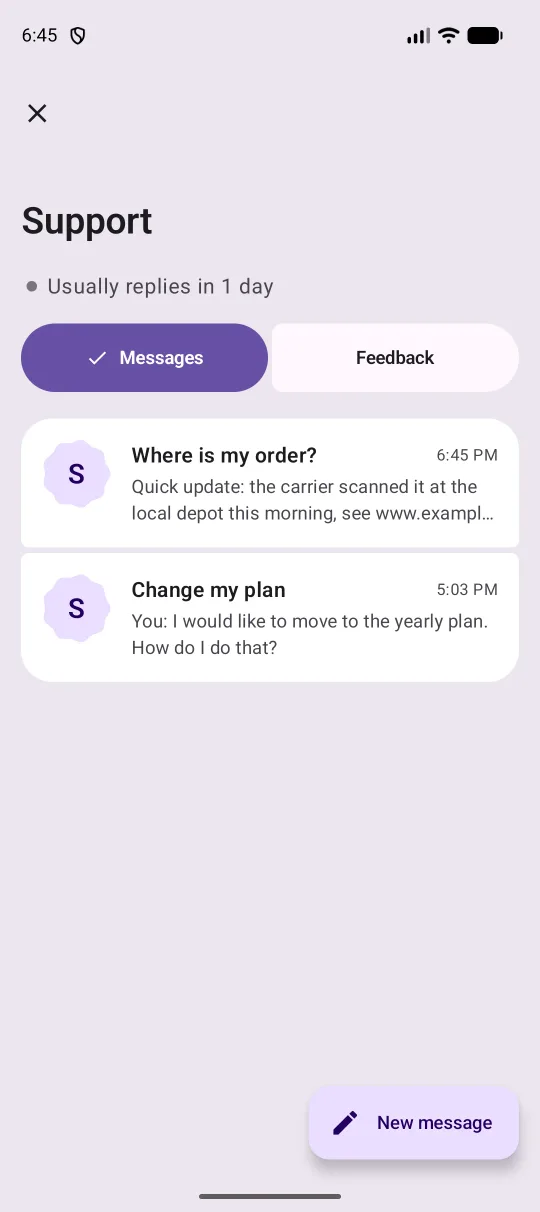
The list opens with your team’s name and how fast it usually replies. Short waits show in minutes and longer ones in hours or days, so a team that answers within a day no longer shows “1440 minutes”. Each row has an avatar, the subject, the last message, a short time and an unread mark.
On iOS the list is edge to edge, the way Messages draws it. On Android it follows Material 3 Expressive:
- Rows sit in rounded tiles under a large title that collapses as you scroll.
- Avatars take the expressive shapes.
- Messages and Feedback are connected pill buttons.
- New message is an extended button that shrinks while you scroll.
Threads
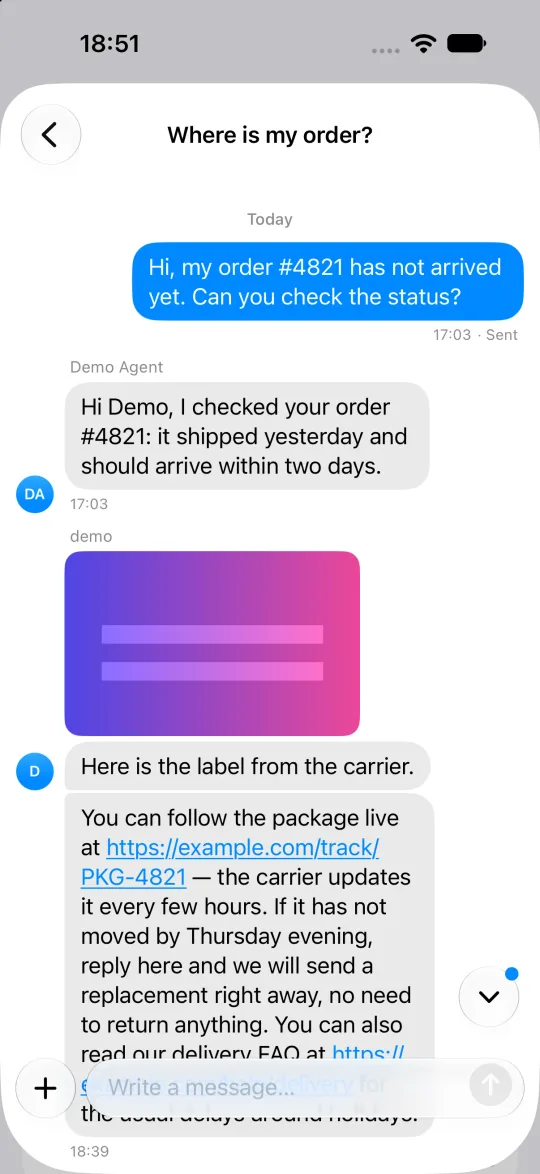
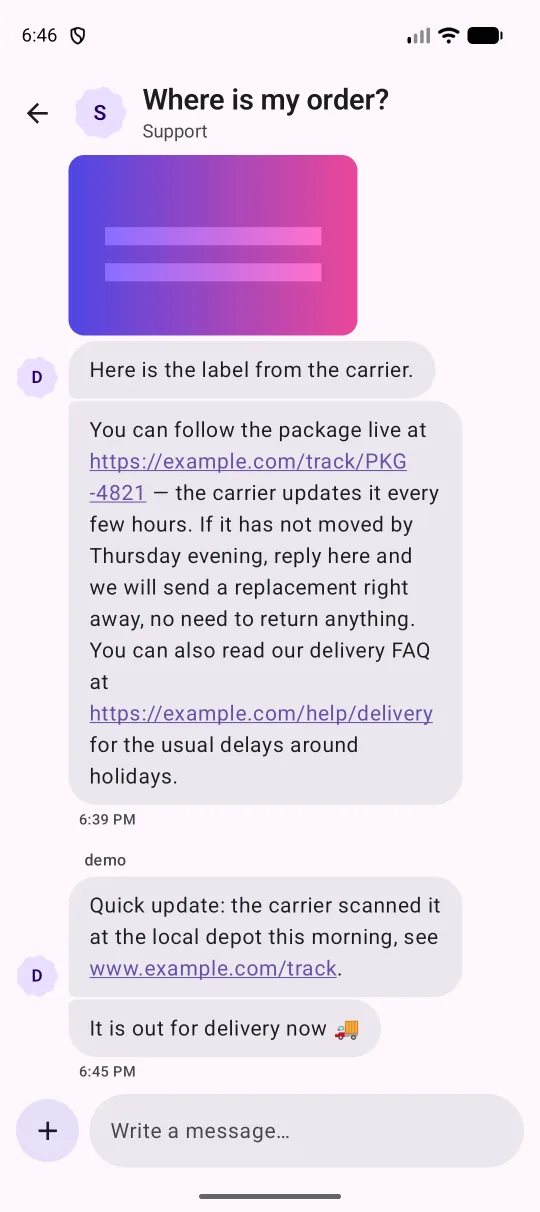
Messages from one sender are grouped into bubbles, with day separators between days. In the threads:
- Links in a message open.
- Images open full screen and can be zoomed.
- A bubble shows while the team is typing.
- If you are reading older messages when a reply arrives, the view stays where it is and a button with a dot takes you to the latest.
- Sending gives a light haptic.
- If a thread fails to load, it offers Try again instead of an empty screen.
On iOS 26 the composer floats in Liquid Glass. On Android it is a floating field whose send button springs in once there is text.
Feedback that shows where it stands
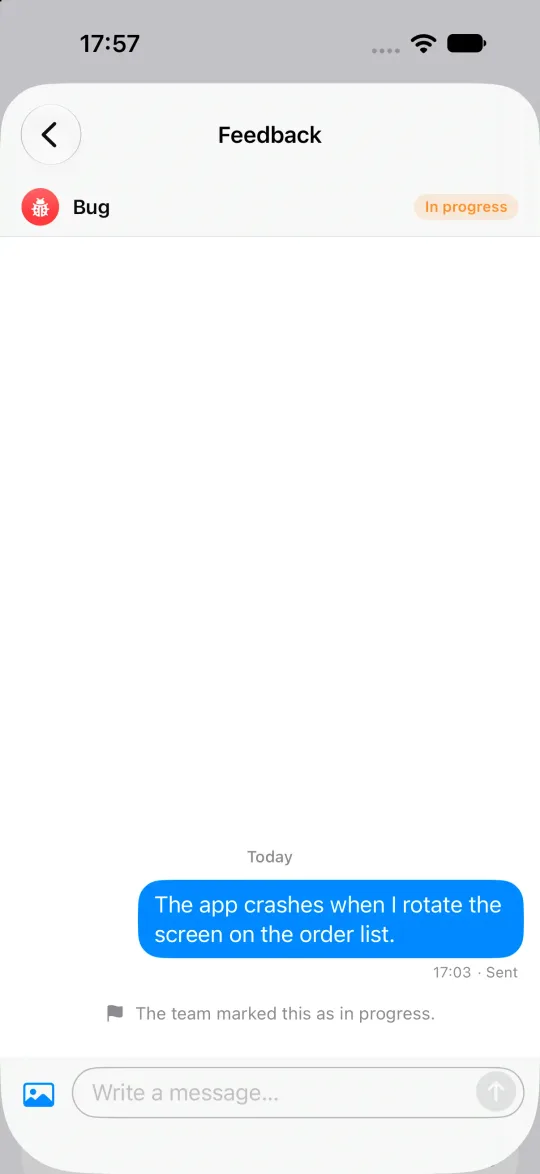
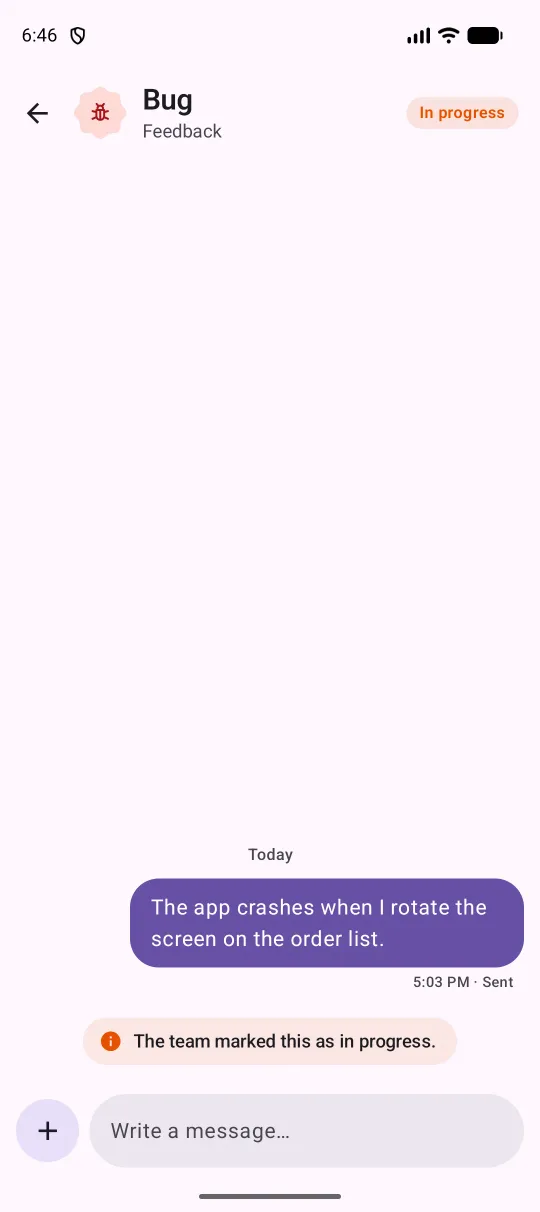
Feedback from an app used to vanish after you sent it. Now the team can tell the sender where it stands: planned, in progress, done or won’t do.
- In the panel: a team member sets it from the conversation’s header, or with the
Oshortcut. The list shows the state as a chip. - From an assistant: the MCP server has a
set_feedback_progresstool. - Through the API:
PATCH /v1/conversations/{id}takesfeedback_progress.
In the app, the state shows as a coloured tag in the Feedback list and at the top of the thread. Each change adds a line to the thread, and it arrives live while the screen is open.
Sending feedback
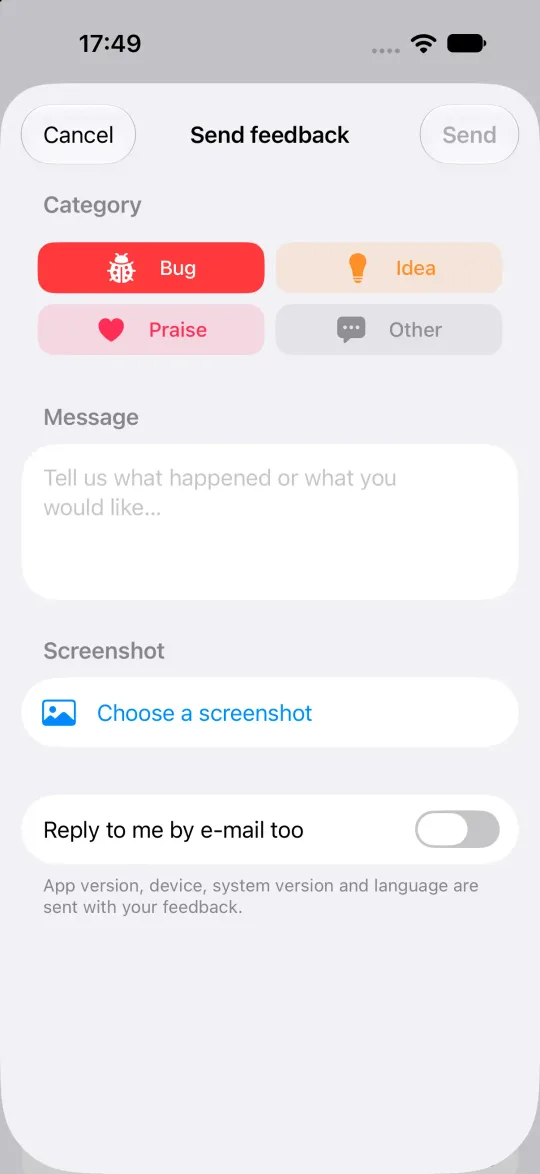
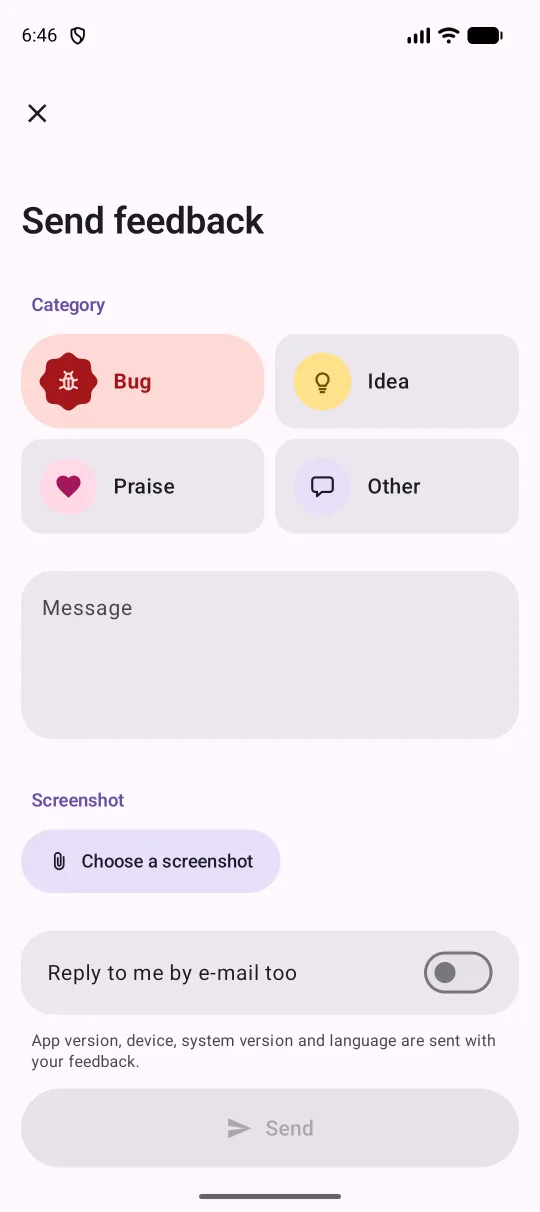
The form asks for a category, a message and an optional screenshot. People can ask for the reply by e-mail too. The app version, device, system version and language are attached, and the form says so. Category icons are vectors drawn by the library, not emoji, so they look the same on every device.
Two places, or one
Not every app wants messages and feedback behind the same button. YuvaConversationsView takes a section:
YuvaConversationsView(client: yuva, section: .feedback)YuvaConversationsView(client = yuva, section = YuvaConversationsSection.FEEDBACK)With .messages the view shows only conversations. With .feedback it shows only feedback, and its + opens the feedback form. Leave section out and you get both as tabs, as before.
Dark mode and your colours
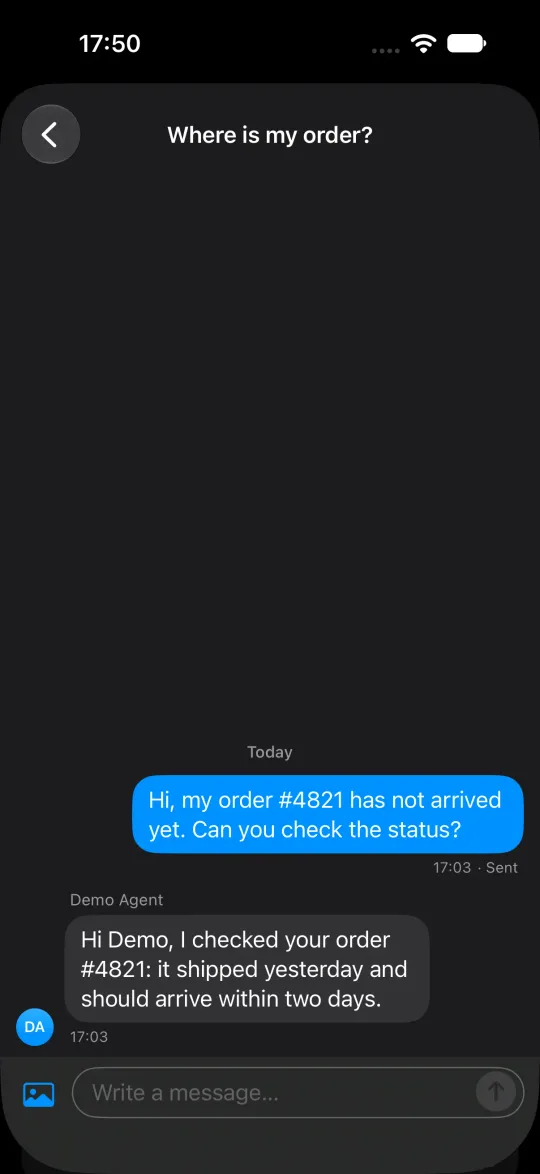
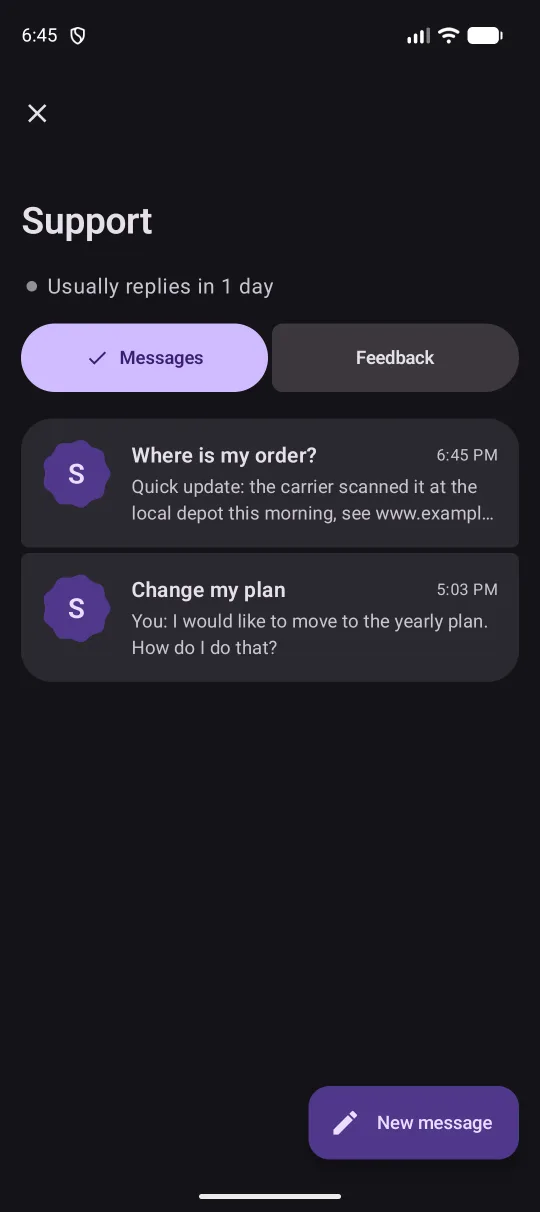
The screens follow the system appearance. On Android the colours come from your app’s MaterialTheme, dynamic colour included, so the screens match the rest of your app. Only the category and state tints are Yuva’s own.
The Android library is built only from stable Material 3 components, with no experimental APIs. Adding Yuva will not force your app onto an alpha release of Compose.
Your app can also skip the ready screens and build its own UI on the headless client. The conversations, messages, events and feedback calls are the same either way.
Upgrading
- iOS: update the
YuvaKitpackage to0.0.24. - Android: use
com.github.productdevbook:yuva:v0.0.24from JitPack.
The sample apps in the repository open every screen variant and have the new design too.
One change can break your build: in Swift, YuvaEvent.conversationUpdated gained a fifth associated value for the feedback progress. If you switch over events yourself, add it to the pattern.
The mobile guide has the setup, push notifications and the full reference. Yuva is still pre-alpha, so try it with test data, and tell us what looks wrong in an issue, with a screenshot if you can.
productdevbook
Maintainer of Yuva